

Navigate Cybex Manage
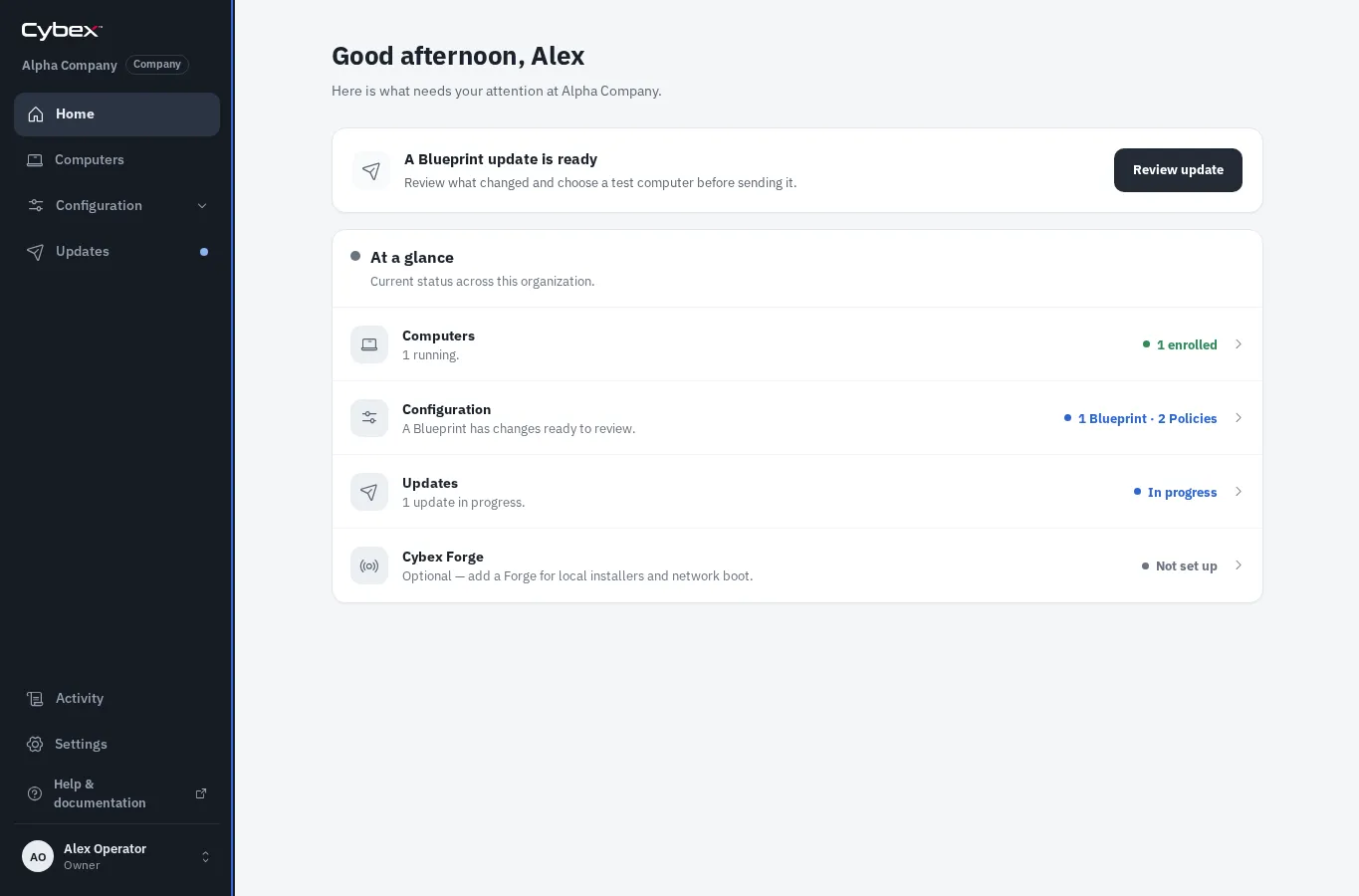
The Home page shows the organization’s current computer health, work that needs attention, and shortcuts into common tasks.
Main areas
Section titled “Main areas”- Computers shows enrolled devices, their current status, Blueprint, and recent contact. Open Add computers here to prepare installation media or approve a pending computer.
- Configuration contains two focused collections:
- Blueprints defines the apps and settings for a group of computers.
- Policies sets reusable organization guardrails that Blueprints cannot override.
- Updates releases a prepared Blueprint revision to computers.
- Activity shows the organization audit trail.
- Settings contains organization details, sign-in sources, people, and optional Cybex Forge management.
- Organizations appears for reseller and platform accounts and opens the customer organizations they look after.
Role-specific areas, Activity, and Settings remain visible near the bottom of the sidebar. Open the account menu for Your account, appearance controls, and sign out. If you can access more than one organization, use the organization selector near the top of the sidebar for a quick switch; reseller and platform accounts can always open Organizations from the sidebar.
The Help & documentation link always opens the guide for the page you are viewing in a new tab.